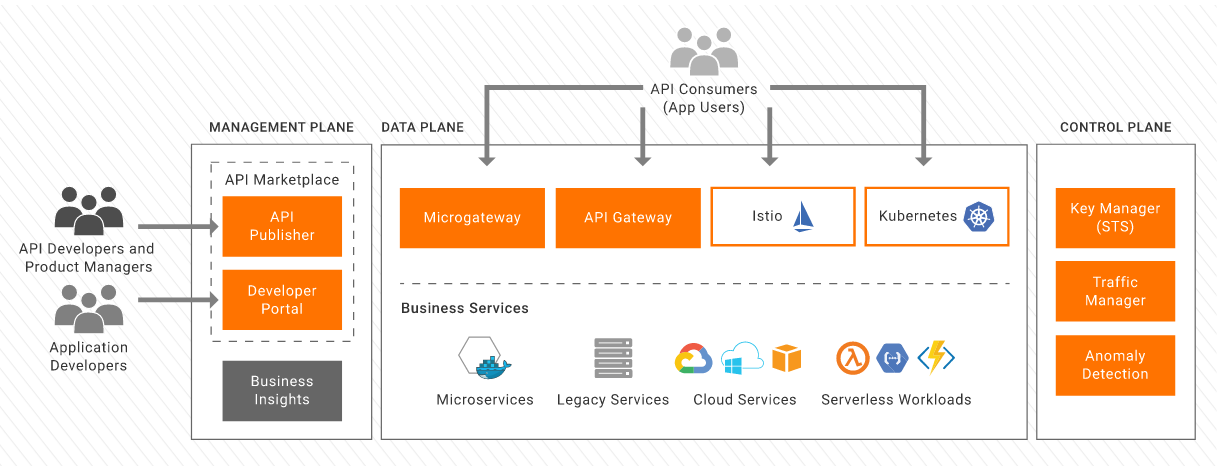
What is wso2?
WSO2 mainly have 3 tools
1. EI(Enterprise Integrator) - If integrating different application, third party application, like CRM+salesforce, databases etc.
2. API manager - for governing, maintaining and managing the lifecycle of api, its lets to design publish and manage the lifecycle of an api, help in secure api, auth mechanism, throttling policy, and also its secure api with rolled based access through scoops.
3. Identify server - manage the identify of user
WSO2 API manager -
install it from official website.
you need your official email id for download.
set JAVA_HOME path, and JDK is required for this package.
How to start wso2?
start by script that is in packag/bin folder......there will be file name api_manager.sh script
for window it would be api_manager.bat
During installation might can get few errors:
Like port 5672 is not available etc.
check with ps cmd, if any process running with this pid or restart the script, or try after restart your system.
how to login in wso2 manage api?
you will get 2-3 url after wso2 start:
https://34.121.88.128:9443/publisher
https://34.121.88.128:9443/devportal
https://34.121.88.128:9443/carbon
for WSO2 api login on publisher url
default user/pass - admin
how to create api in wso2?
you can create a test api or you can create your own api then create it on wso2 with endpoint
you can use public api also for testing and create on wso2 api manage.
How to Publish and Subscribe APIs
https://www.youtube.com/watch?v=-TicJqTjq2M&t=924s
WSO2 CI/CD with Jenkins
https://www.youtube.com/watch?v=Hr9dYk2J7e0
https://www.youtube.com/watch?v=Uz5Rf_ZjGms

https://www.youtube.com/watch?v=rmf4SH7Sod0

No comments:
Post a Comment